Integration Center
Product Compatibility
| Quality Risk Management | Production Management | Responsible Sourcing & Compliance |
|---|---|---|
| ✅ | ✅ | ❌ |
Monitor your data exchange logs
The Inspectorio platform offers an easy way to track how your data exchanges are working. This is especially useful when you're setting things up, whether you're using the API or File Transfer. By checking the Integration Center, you can see how our system understood your attempts, identify any issues, and make corrections. This helps ensure everything runs smoothly.
The Integration Center is also handy throughout your time using Inspectorio. If an end-user reports a problem with data accuracy or missing information, you can use the Center to quickly troubleshoot and resolve the issue.
Here's what you can do in the Integration Center:
- Search logs: Look for specific data exchanges by using a reference key (like a purchase order number or a measurement chart ID).
- Filter results: See all attempts, only successful ones, or only failed ones. You can also filter by date, data type (purchase order, measurement chart, etc.), action (create, read, update, delete), and the method used (API, file transfer, or file import).
Important note: You can only access logs for the past 30 days.
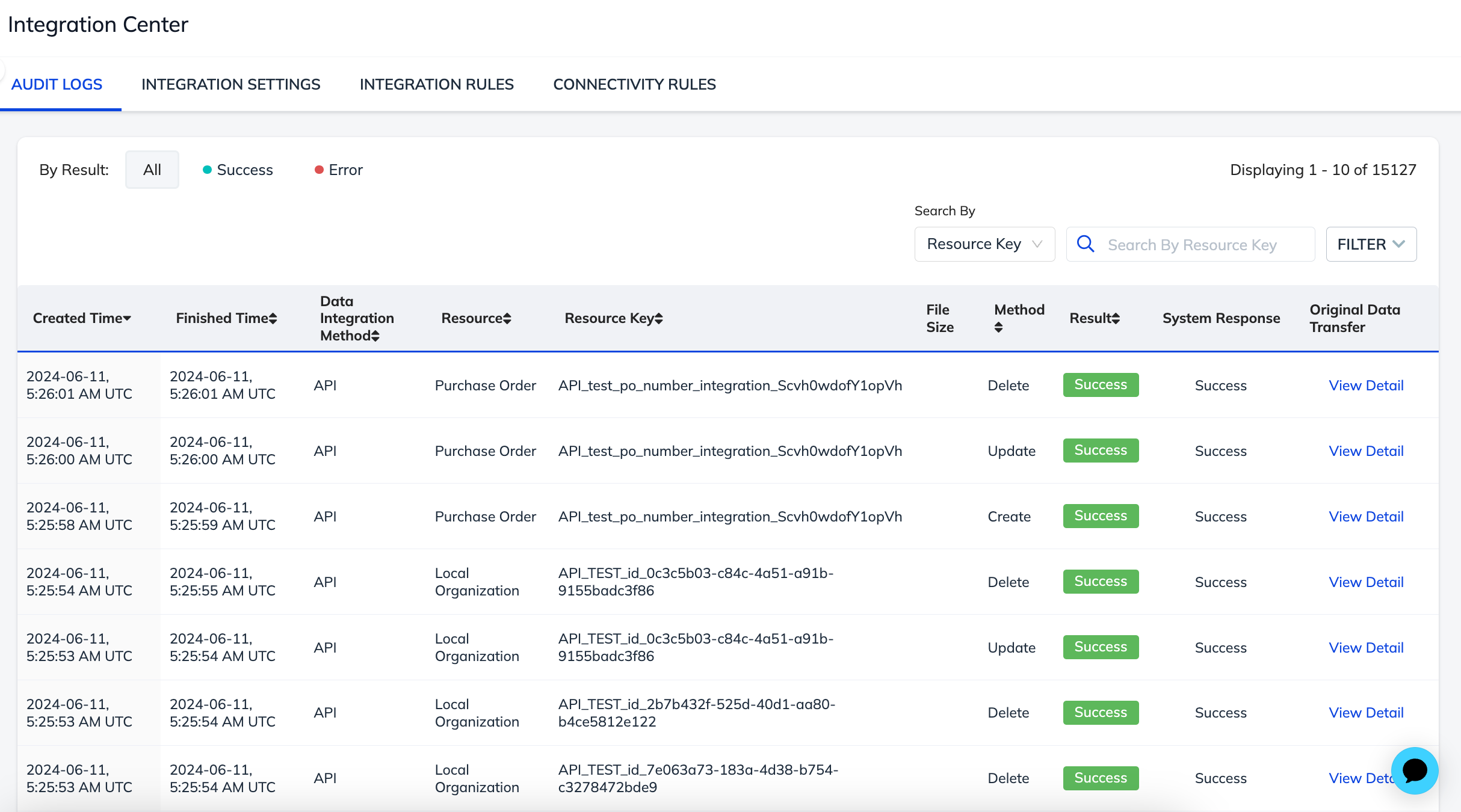
Audit logs by resource
The Audit Logs page in the Integration Center lets you filter by Resource to review API requests for a specific data type. The product guides show where to find the result of each integration, for example:
| Resource | Guide |
|---|---|
| Purchase Order Association | Purchase Order Association |
| Time and Actions | Production Status, Milestone Status |
| Products, styles, items, and materials | Products, Styles, Items, and Materials |
Troubleshooting tips
- Search the log by the reference key of the record that failed, such as the PO number.
- Filter to show only failed attempts, and review the error details of the entry.
- Match the error against API error codes or File Transfer error codes, fix the data in your source system, and resend it.
- If the error is unclear or persists, contact [email protected] with the reference key and the time of the attempt.