Webhooks
What is a webhook
A webhook is an automated HTTP callback that allows external systems to receive real-time event notifications from Inspectorio. When a specific event occurs, the system sends an HTTPS POST request with a JSON payload to your configured webhook URL. This payload contains relevant event details, enabling integration with your own applications or services. Webhooks are ideal for automating workflows and securely, efficiently synchronizing data.
How webhooks work at Inspectorio
Inspectorio is adopting an event-driven architecture, where various domain services can emit events whenever a significant change occurs or an action is performed within the system. This approach enables decoupled and reactive integrations, allowing external systems or internal services to subscribe to and respond to these events in real time. For example, when a particular entity is updated or a specific user-triggered action happens, an event is fired. Other services can then consume this event or can trigger webhooks to notify external platforms.
This model not only ensures timely notifications but also enhances scalability and flexibility across domains, as any service can be both a producer and a consumer of events.
Below is a sequence diagram illustrating the flow of events using webhooks in Inspectorio’s event-driven architecture:
How to manage webhooks at Inspectorio
Inspectorio enables partners to manage webhooks comprehensively through a modern, secure, and user-friendly interface. Below are the key features and actions available for managing webhooks:
Webhook management actions
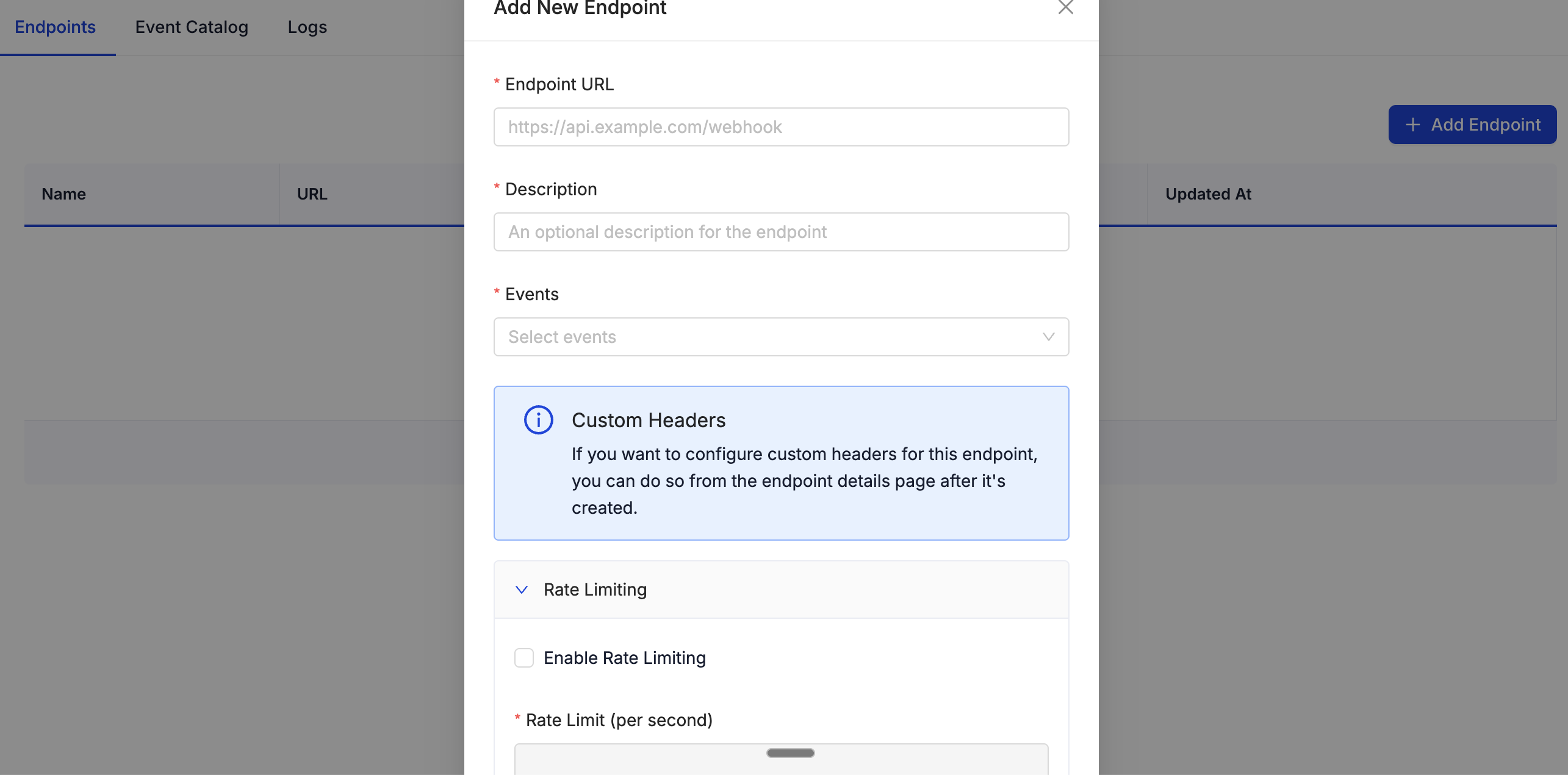
Create a webhook
Partners can create a webhook by providing:
- Name: To identify the webhook’s purpose.
- Destination URL: Where Inspectorio will POST the event payload.
- Events: Select one or more event types to subscribe to.
- Rate Limiting: Configure how many webhook calls your endpoint receives per minute/hour to ensure stable delivery.
- Custom Headers: Optionally set HTTP headers for authentication schemes or correlation identifiers.
- Secret: Upon creation, a unique secret is generated for each endpoint, used to sign outgoing payloads (see Verification).
- Preview & Save: Review summary and confirm webhook creation.
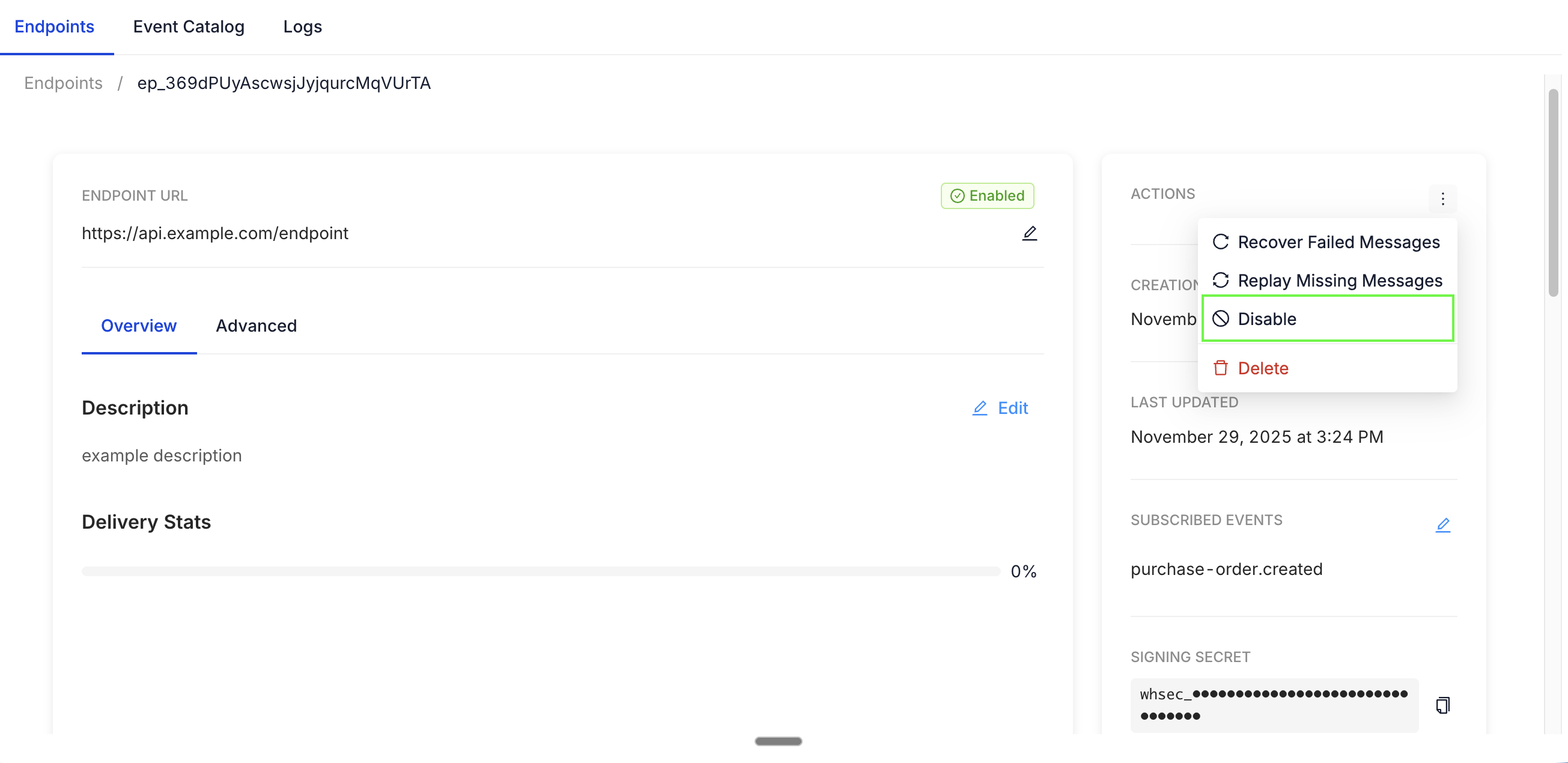
Enable/disable (activate/deactivate) webhooks
You can enable or disable webhooks at any time from the webhooks dashboard.
- Enable: Activate webhooks to start receiving event notifications.
- Disable: Suspend delivery without deleting the configuration.
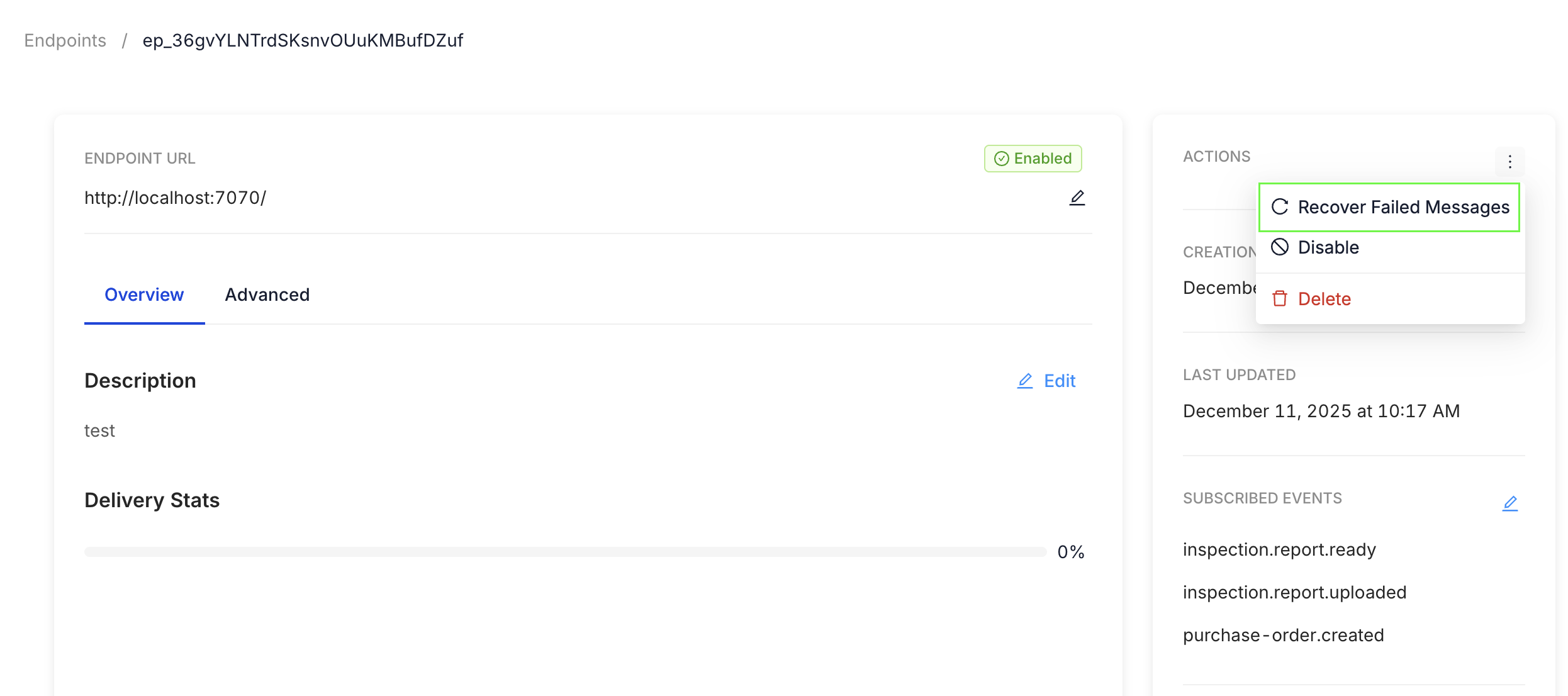
Recover failed messages
Inspectorio tracks each webhook event attempt:
- Failed Deliveries: View which notifications could not be delivered.
- Recover / Retry: Manually trigger redelivery of failed or missed messages directly from the dashboard.
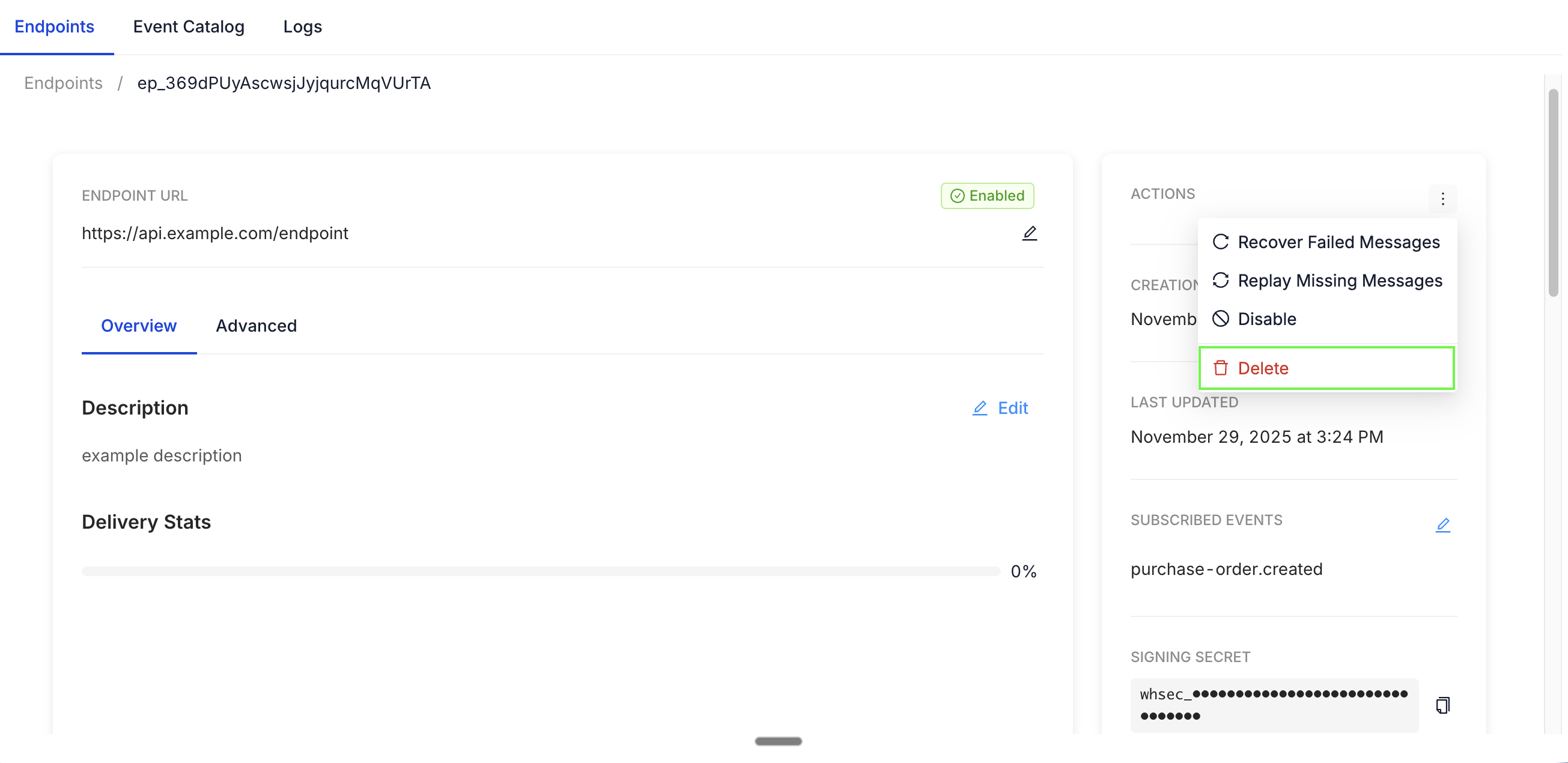
Delete webhooks
- Permanently delete a webhook when it is no longer needed. This endpoint will stop receiving all future events.
- All actions prompt for confirmation to prevent accidental deletions.
Webhook dashboard and monitoring
Inspectorio provides visibility at a glance:
- Success Rate Visualization: Graphs and statistics on delivery rates and error counts across all webhooks.
- Attempts Log: For every event, see the number of delivery attempts, timestamps, HTTP status codes, and response bodies.
- Filtering: Quickly find endpoints with high error rates or recent delivery problems.
- Edit & Manage: Change rate limits, custom headers, or regenerate secrets as needed.
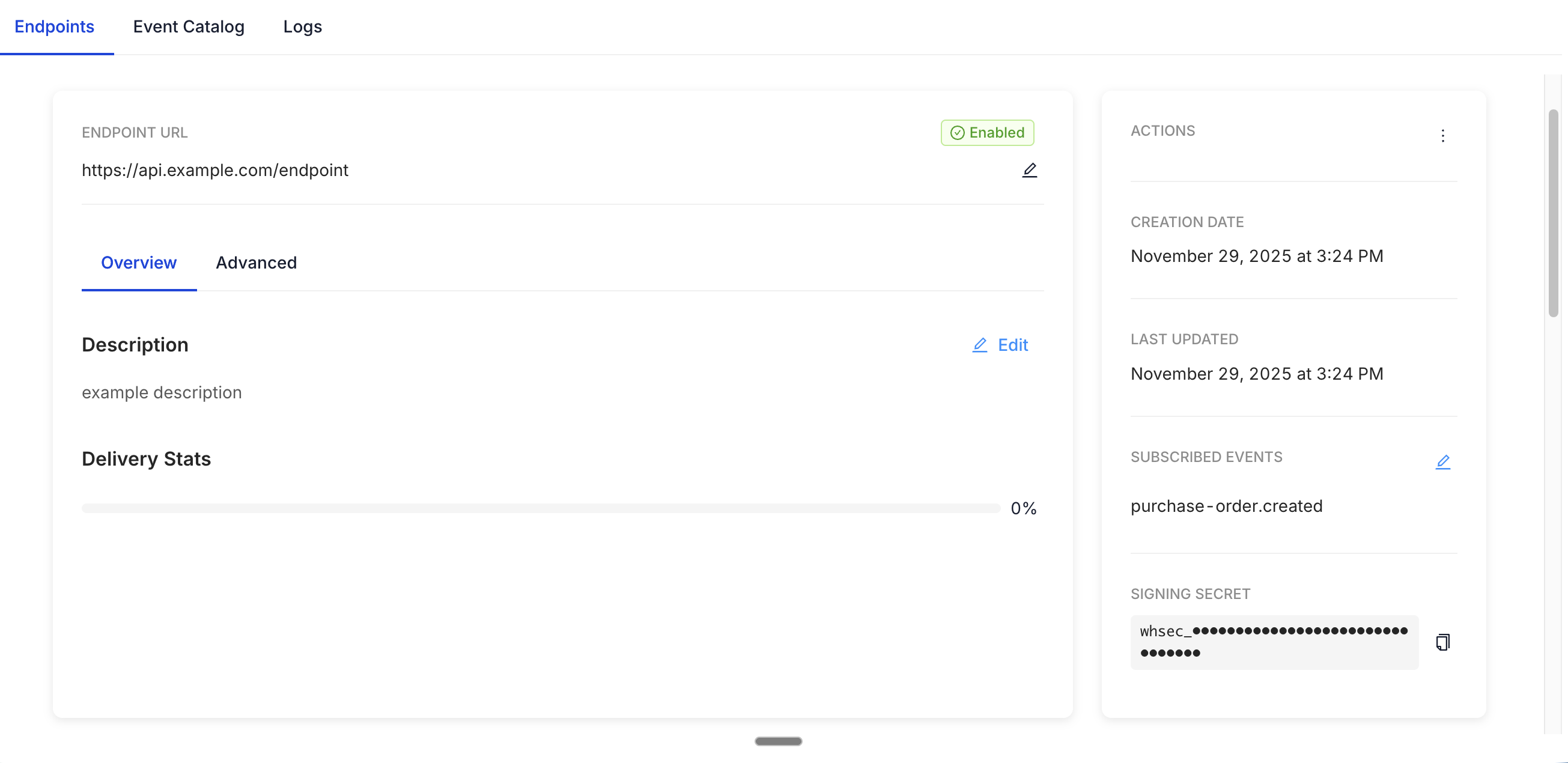
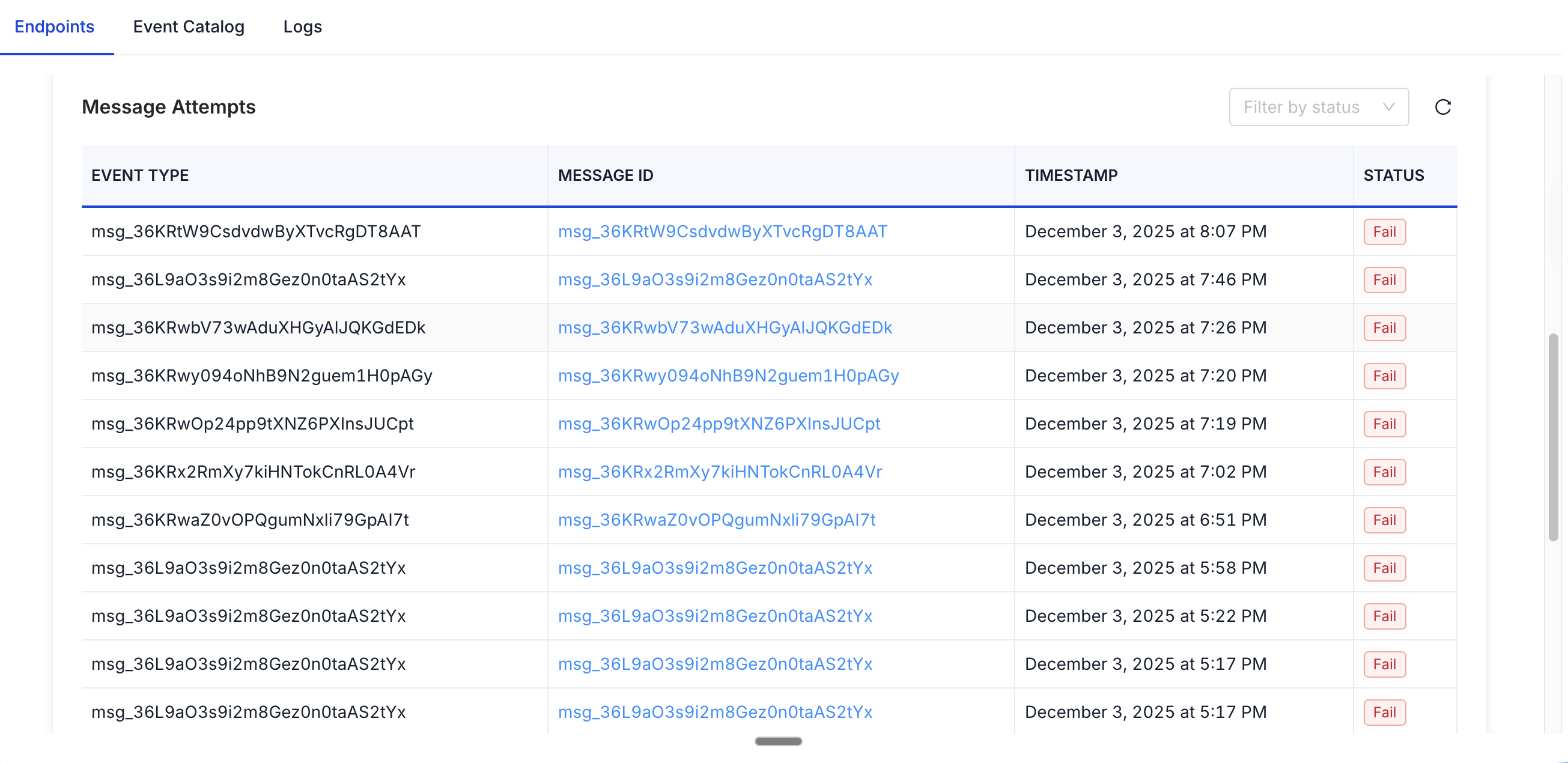
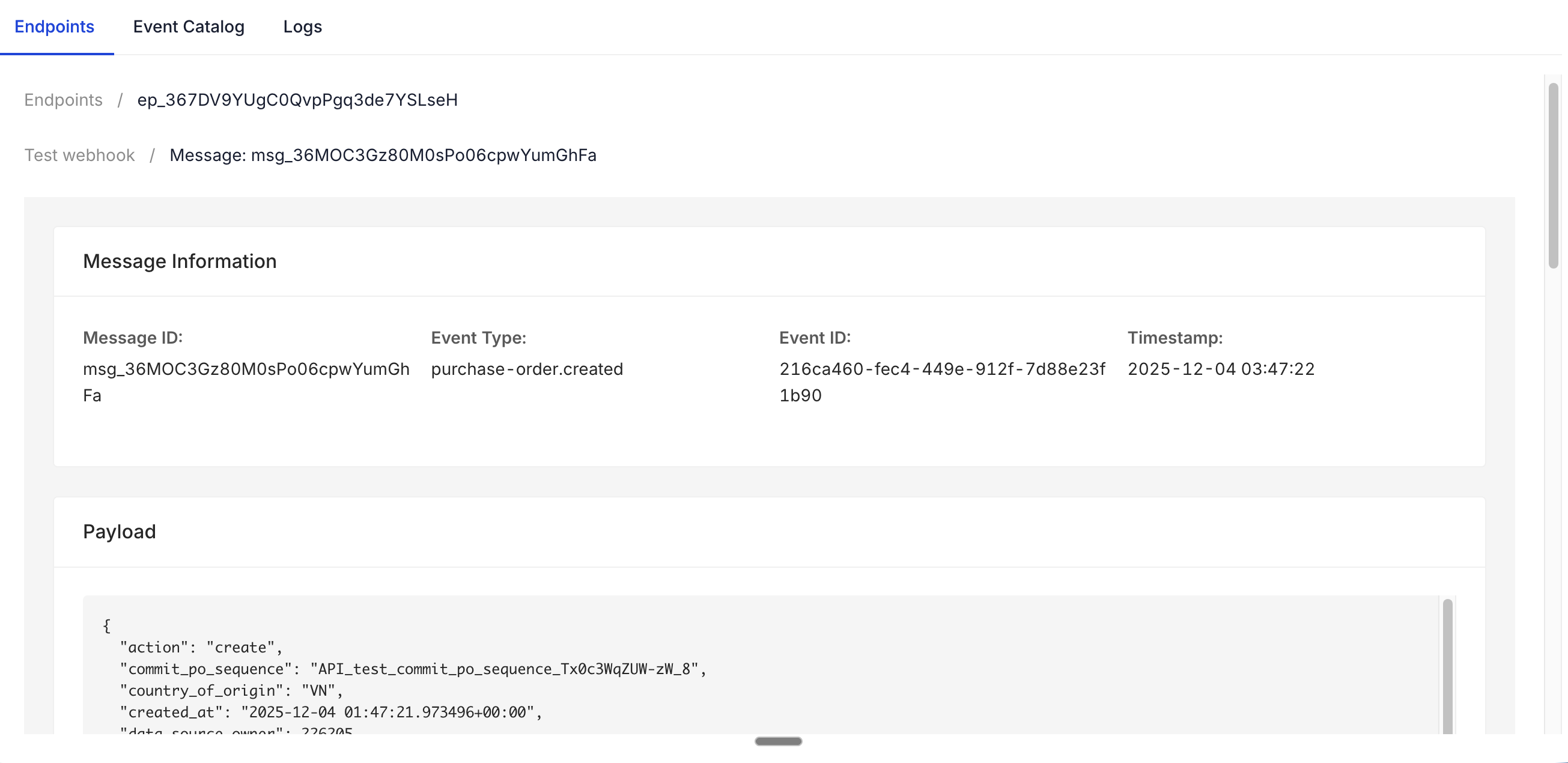
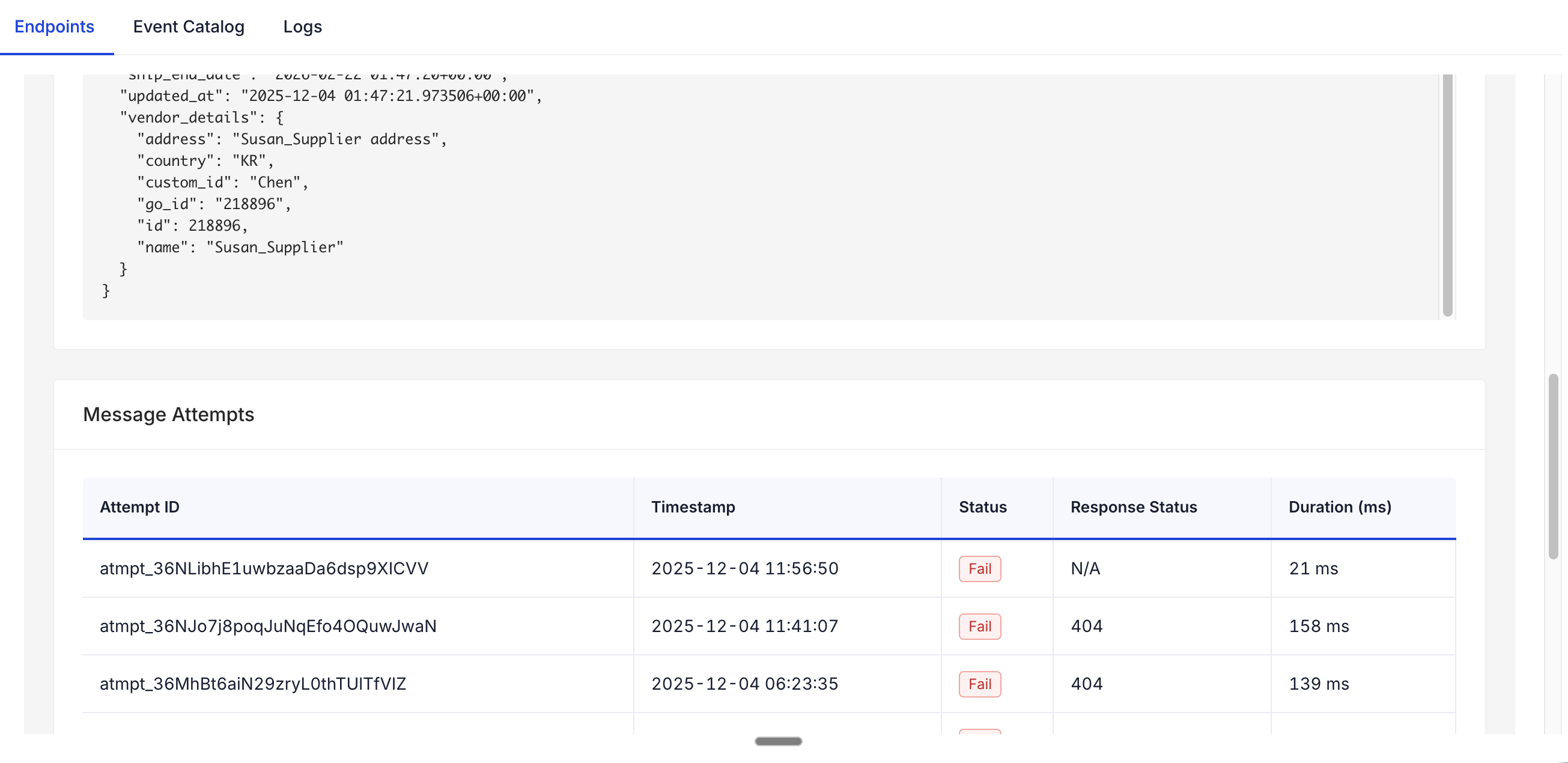
Each webhook message includes an attempts log that records payload details for every delivery attempt. This log helps you review exactly what data Inspectorio sent and how your endpoint responded, providing valuable insight for debugging and integration monitoring.
Rate limiting
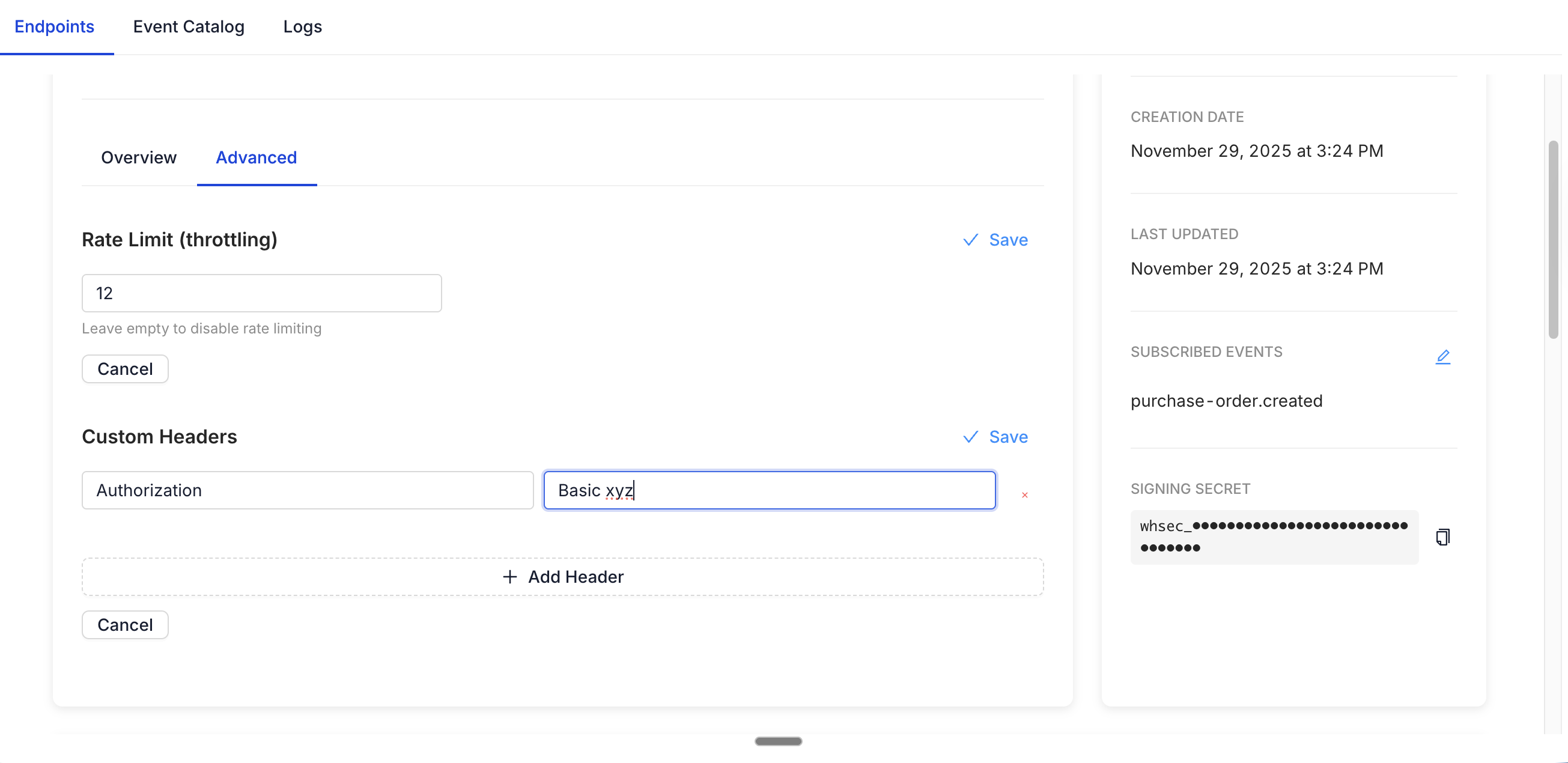
For each webhook, you can specify a delivery rate limit. Inspectorio will automatically delay or drop excess events beyond the allowed rate to keep your systems safe and in control.
Custom headers
Add custom HTTP headers to each outbound webhook request — typically used for additional authentication or tracing. Example: X-Correlation-ID, X-My-System-Auth.
Message attempts and retries
Every delivery attempt is tracked with a complete status log. You can see:
- Timestamp of each attempt
- HTTP response status
- Error details (if delivery failed) This helps you monitor the reliability of your endpoints and take corrective actions such as reconfiguring the webhook.
Delivery, retries, and limits
| Behavior | Details |
|---|---|
| Timeout | Each delivery request waits up to 30 seconds for your endpoint to respond. |
| Retries | Failed deliveries are retried with exponential backoff: the wait time between attempts increases progressively, so brief issues resolve quickly while longer outages get more recovery time. |
| Automatic disabling | An endpoint is disabled only if it fails continuously for 120 hours (5 days). Any successful delivery during this window resets the failure timer. |
| Ordering | Each endpoint has its own ordered delivery queue, so events are delivered in order, with retries. |
| Number of endpoints | There is no hard limit. We recommend no more than 10 webhook endpoints to keep delivery performance stable. |
If deliveries were missed while your endpoint was down or disabled, use Recover failed messages to redeliver them.
Webhook verification and security
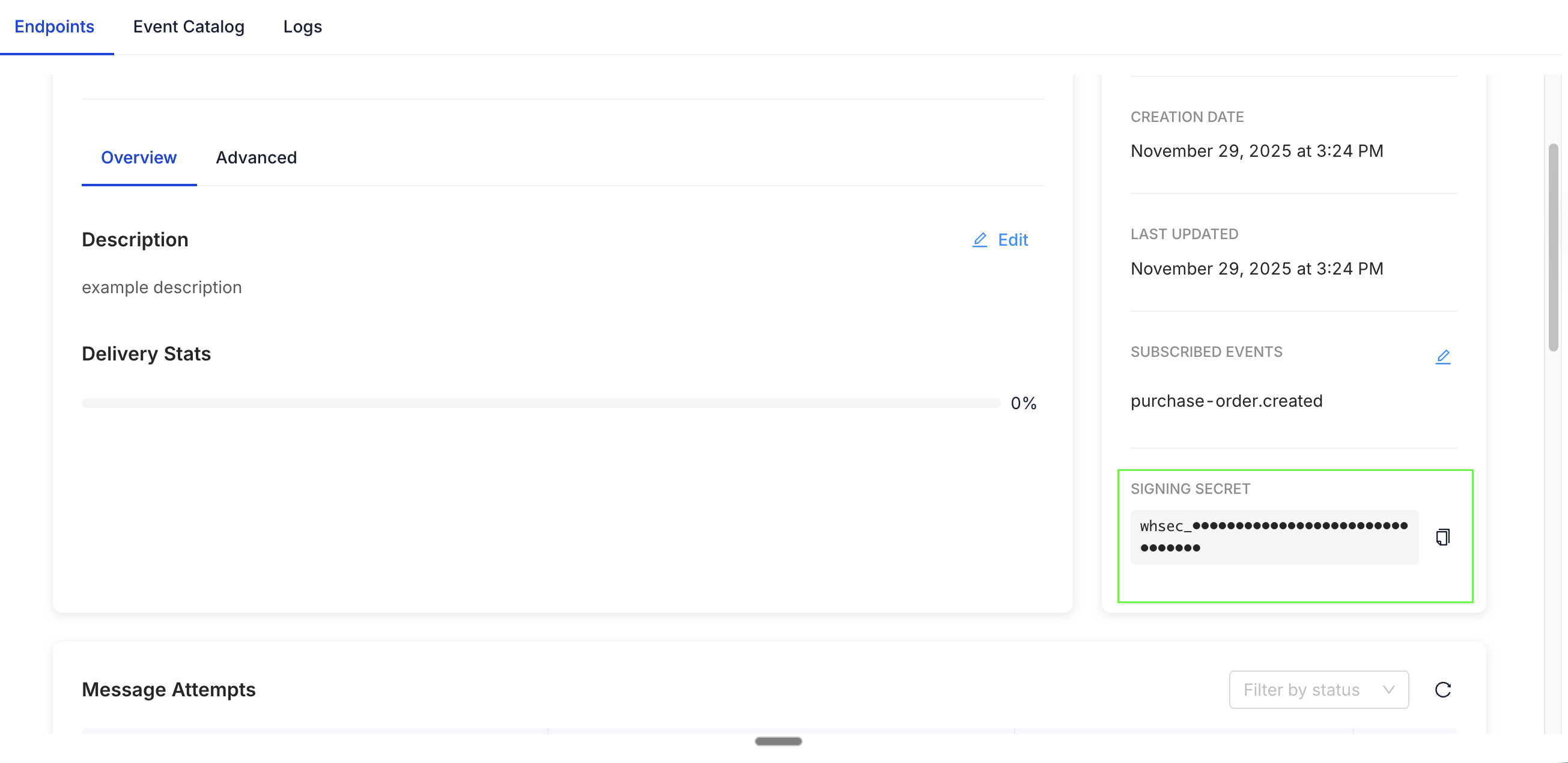
Inspectorio follows the Standard Webhooks specification. Each webhook endpoint is given a unique, securely generated secret key. All outgoing messages are signed using this secret (using HMAC), enabling you to verify that incoming events are genuinely from Inspectorio and have not been tampered with.
Best Practice: Store the secret securely and rotate it if you suspect it is compromised. You can regenerate secrets via the dashboard.
How to verify a webhook
Under the Standard Webhooks specification, each request carries three headers:
| Header | Purpose |
|---|---|
webhook-id | Unique message ID. It stays the same across retries, so you can use it to detect duplicate deliveries. |
webhook-timestamp | Time the message was sent, in Unix seconds. Reject messages that are too old to protect against replay attacks. |
webhook-signature | HMAC-SHA256 signature of {webhook-id}.{webhook-timestamp}.{raw body}, signed with your endpoint secret. |
Verify the signature against the raw request body, before parsing the JSON. Parsing and re-serializing the body changes it and breaks the signature.
The easiest way is to use the official Standard Webhooks libraries, available for many languages.
Node.js with Express (npm install standardwebhooks express):
import express from "express";
import { Webhook } from "standardwebhooks";

const app = express();
const wh = new Webhook(process.env.INSPECTORIO_WEBHOOK_SECRET);

// rawBody must be the unparsed request body (string or Buffer)
app.post("/inspectorio/webhooks", express.raw({ type: "application/json" }), (req, res) => {
  try {
    const event = wh.verify(req.body, req.headers);
    // Process the event asynchronously, then acknowledge quickly
    res.sendStatus(200);
  } catch (err) {
    res.sendStatus(400); // Invalid signature or timestamp
  }
});
Python (pip install standardwebhooks). The route below is framework-agnostic pseudocode; adapt it to your web framework:
import os
from standardwebhooks.webhooks import Webhook

wh = Webhook(os.environ["INSPECTORIO_WEBHOOK_SECRET"])

@app.post("/inspectorio/webhooks")
def receive(request):
    try:
        event = wh.verify(request.body, dict(request.headers))
    except Exception:
        return Response(status=400)  # Invalid signature or timestamp
    # Process the event asynchronously, then acknowledge quickly
    return Response(status=200)
Receiver best practices
- Respond fast: return a
2xxstatus within the 30-second timeout, and do heavy processing asynchronously. - Be idempotent: the same message may be delivered more than once during retries. Use
webhook-idto ignore duplicates. - Use HTTPS for your destination URL.
Events catalog
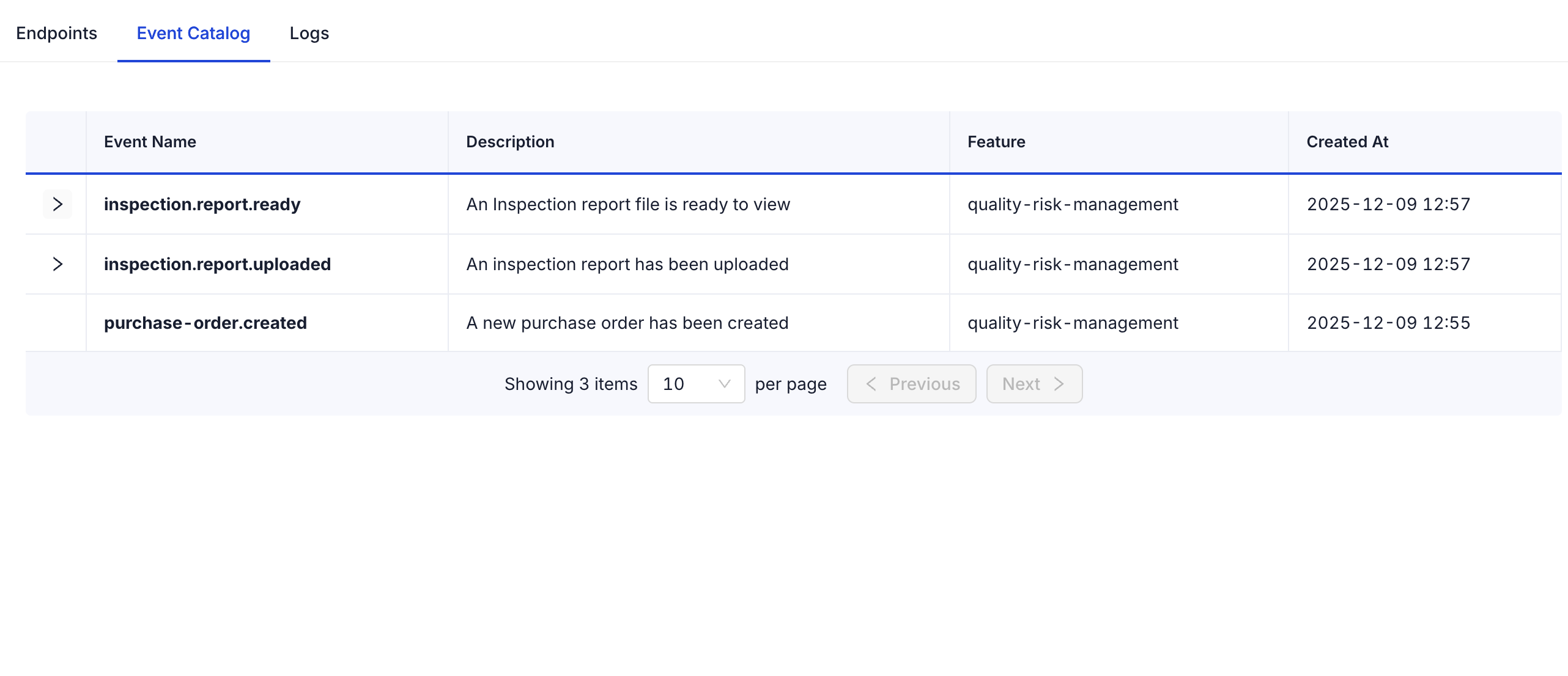
Inspectorio supports a rich catalog of outbound webhook events covering the most important business processes and integrations. You can use these events to trigger automated workflows or notify your systems in real time.
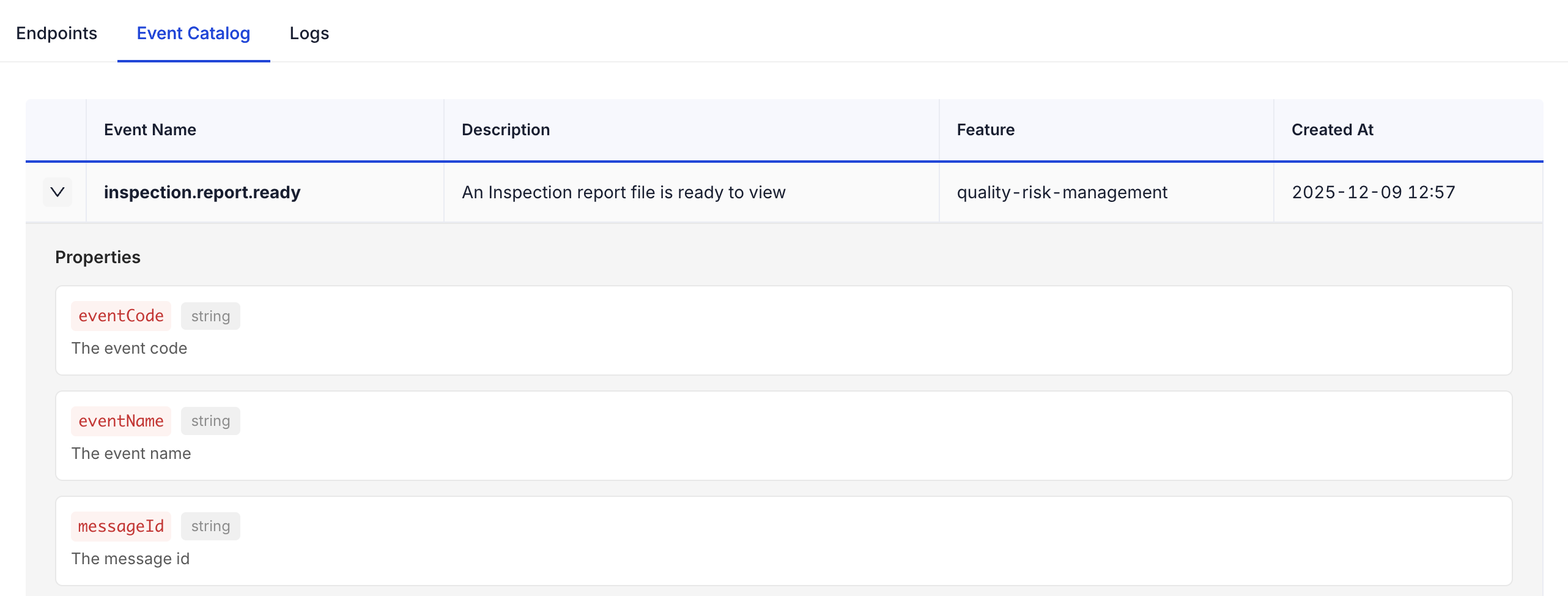
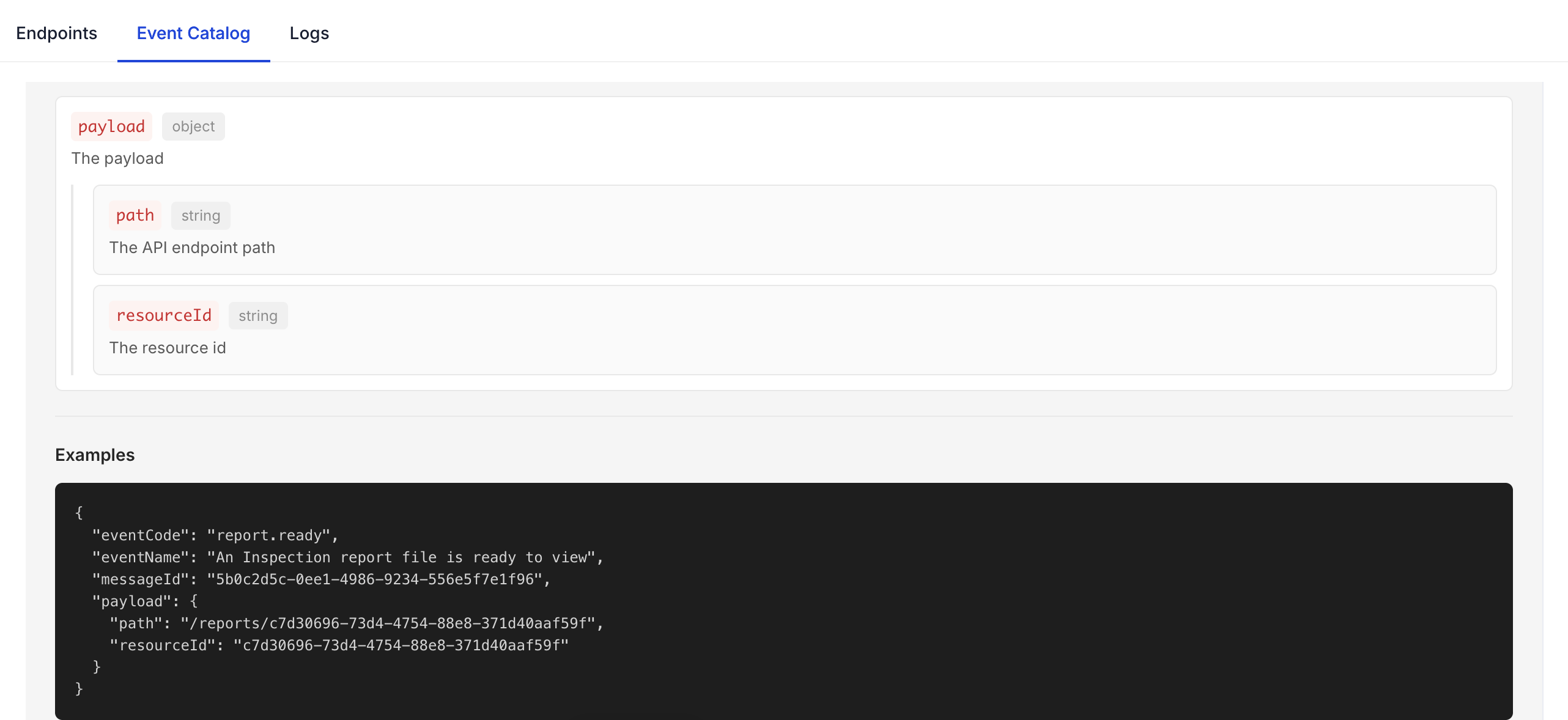
The Webhooks Events Catalog in our platform displays all available event types that you can subscribe to. Each event entry can be expanded to view:
- Event Description: A summary of what triggers the event.
- Sample Payload: Example JSON data illustrating the event structure.
- Payload Properties: Full breakdown of the event payload with field names, types, and descriptions.
This helps partners understand exactly what data to expect and how to implement robust and secure integrations.