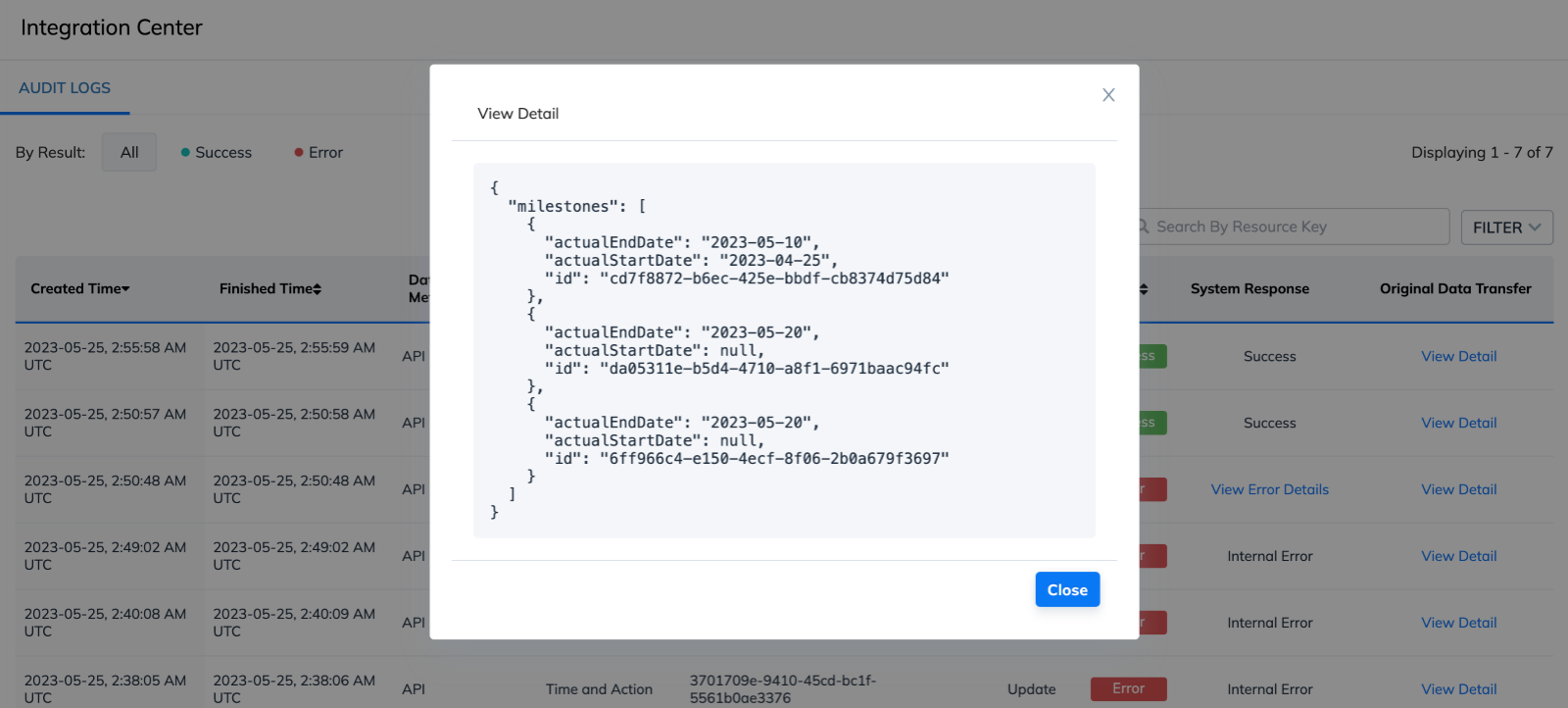
Milestone Status
Overview
This guide describes how you can get the list of T&As, get the T&A details, and update the milestone statuses of T&As.
Before you start
Generate an API Key for your organization and use it to authenticate your API requests.
Steps
-
If you don’t have the list of T&A IDs yet, use the Get List Time and Action API endpoint to retrieve the T&A IDs.
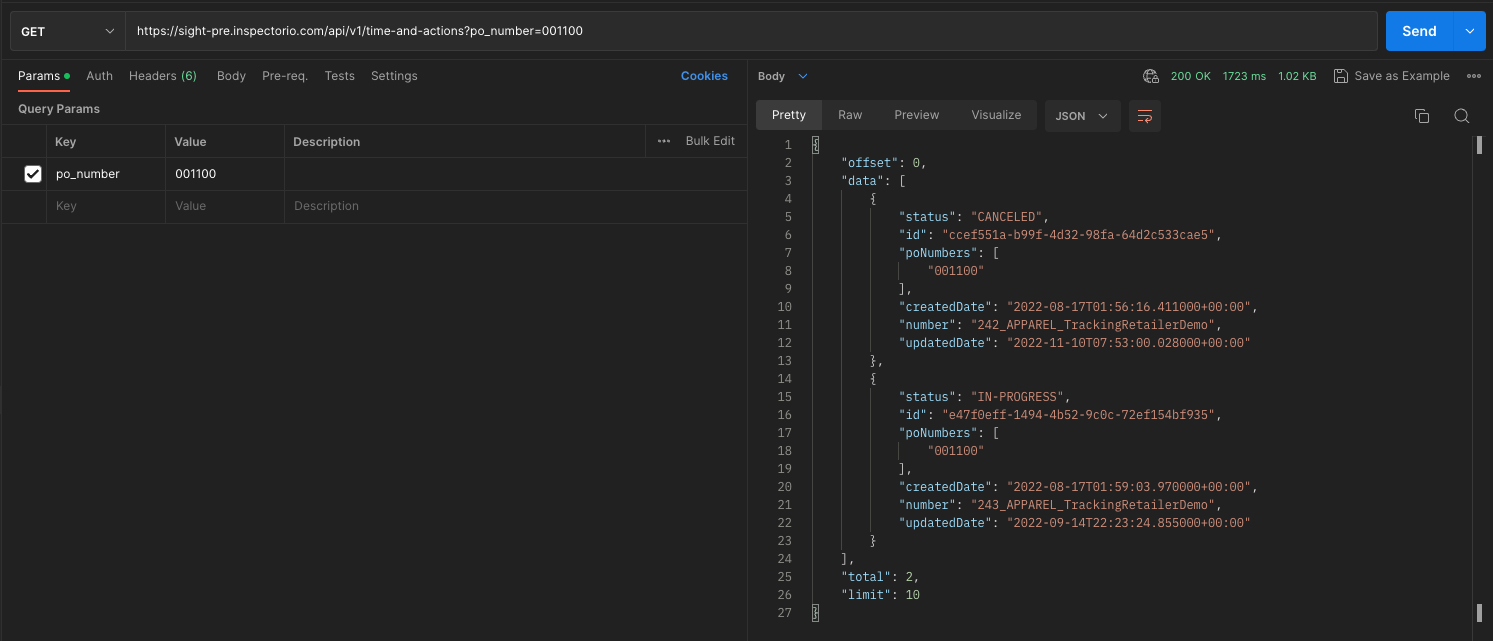
-
To retrieve the milestone’s information, use the Get Time and Action API endpoint.
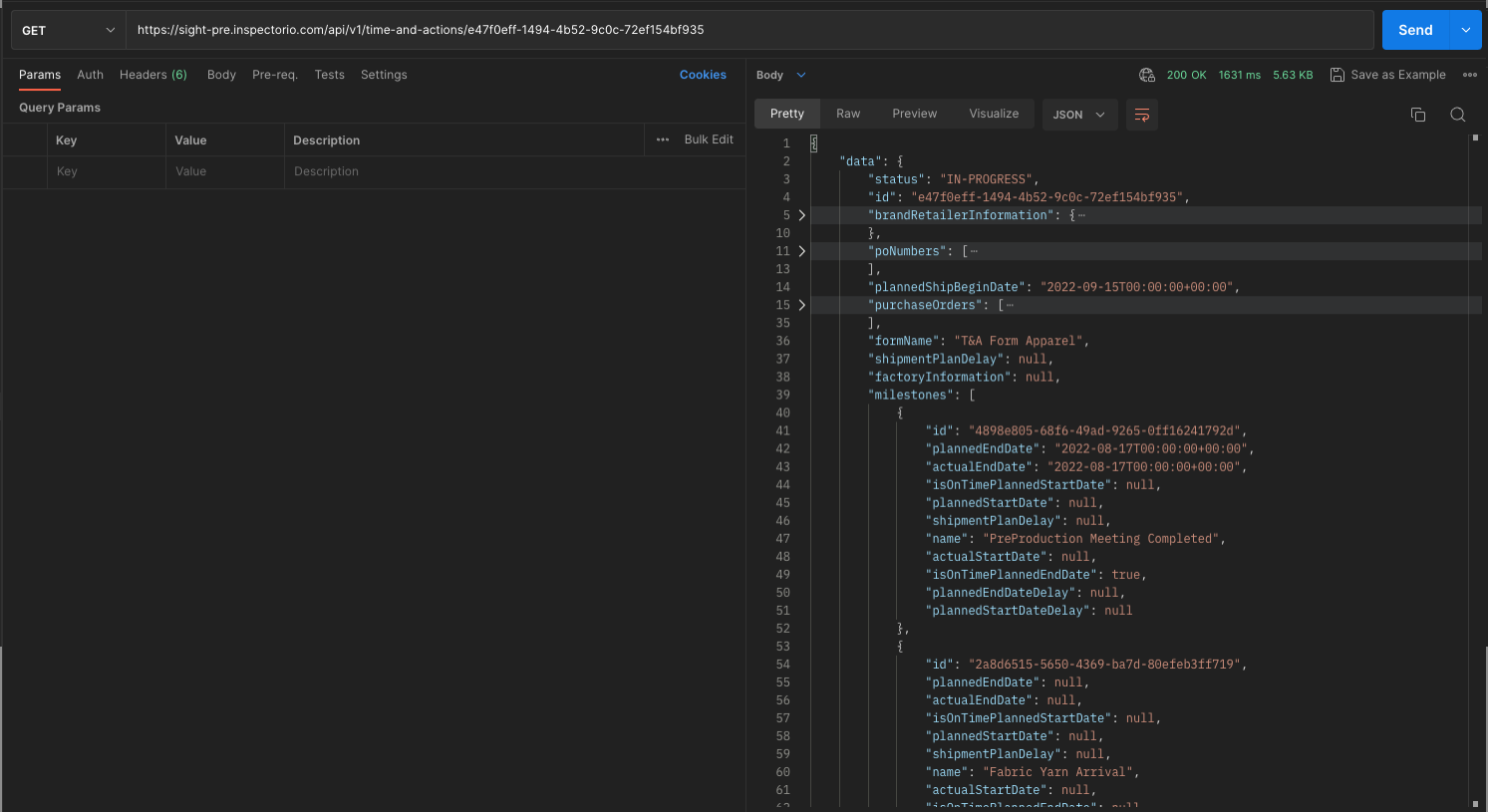
-
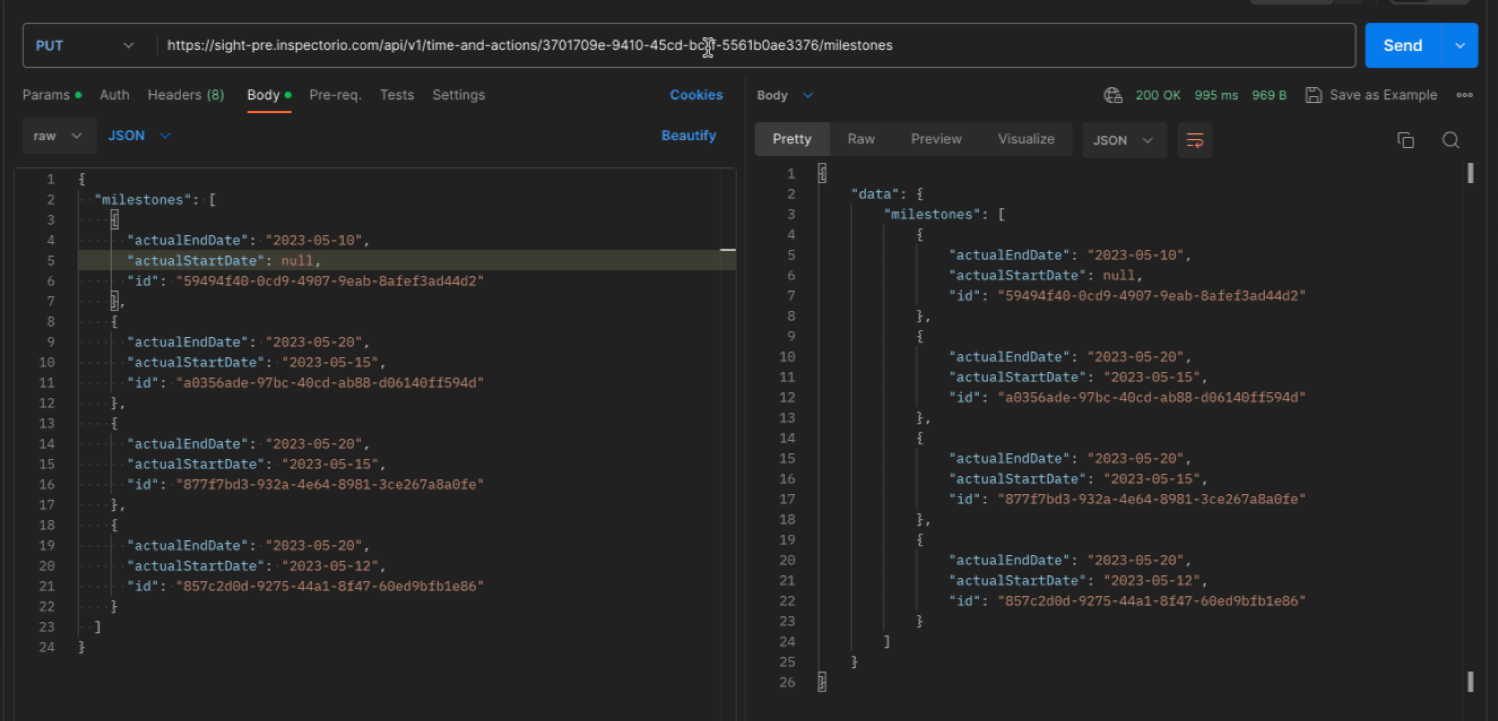
To update the milestone status of T&As, use the Update Time and Actions Milestones API endpoint. In the request body of this API, use the JSON format.
Update Milestone API with required fields:
id(milestone ID)actualStartDateactualEndDate
Where to see the result on Inspectorio platform
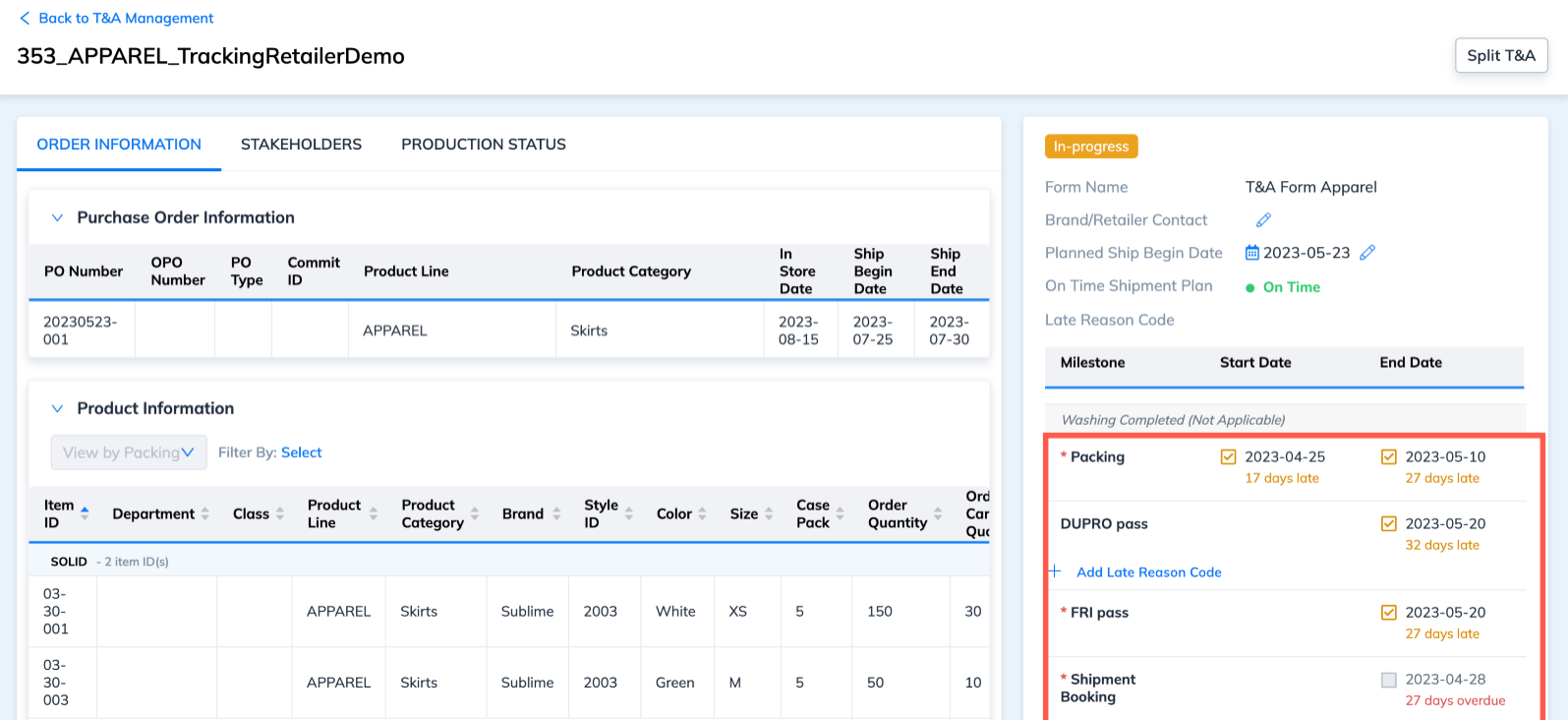
You can view the updates on the T&A milestones in each T&A details page and activity log.
 To view successful API integration logs, go to My Integration Center > Audit Logs.